
AI has moved beyond being a novelty inside accounting software and is becoming part of everyday accounting workflows. Bank reconciliation, invoice processing, document capture, and financial reporting can now be supported by AI, while tools such as ChatGPT and Claude can help with drafting, research, and document analysis. For Australian accountants and bookkeepers, the bigger question is which AI tool actually fits their workflow, accounting platform, and level of required oversight.
The best AI option can look quite different from one Australian accounting practice to another. A tool that works well for one firm may not be as useful for another, depending on the type of work, the accounting software already in place, the size of the team, and how much review is needed.
This guide looks at four areas in particular: accounting platforms, bookkeeping automation, general-purpose AI assistants, and practice management software. It also covers GST and BAS work, privacy, and the professional responsibilities that come with using AI in an accounting practice.
Quick Answer
Xero with JAX, MYOB, QuickBooks, Dext, ChatGPT, Claude and Gemini are among the AI-enabled tools Australian accountants can consider in 2026. The best option depends on the task, such as bookkeeping, BAS and GST workflows, document processing, research or general productivity.
Best AI Tools for Accountants in Australia at a Glance
Tool | Best for | Type | Best suited to |
Xero + JAX | AI-assisted reconciliation and accounting workflows | Accounting platform | Xero-based firms and clients |
MYOB | BAS, GST and accounting workflows | Accounting platform | Eligible MYOB users and Australian practices |
QuickBooks | Bookkeeping, reporting and GST workflows | Accounting platform | QuickBooks Online users |
Dext | Receipt and invoice capture | Specialist automation | Bookkeeping-heavy practices |
ChatGPT | Drafting, research and productivity | General AI | Accountants and admin teams |
Claude | Long-document analysis and summarisation | General AI | Document-heavy workflows |
Gemini | Google Workspace productivity | General AI | Google Workspace firms |
Ignition | Proposals, engagement and billing workflows | Practice management | Growing accounting firms |
Think of this as a starting shortlist rather than a ranking from best to worst. A firm’s existing accounting system, the work it wants to automate, its size and the AI features available on each Australian plan will all affect which option makes the most sense.
Best AI Tools for Bookkeeping Automation
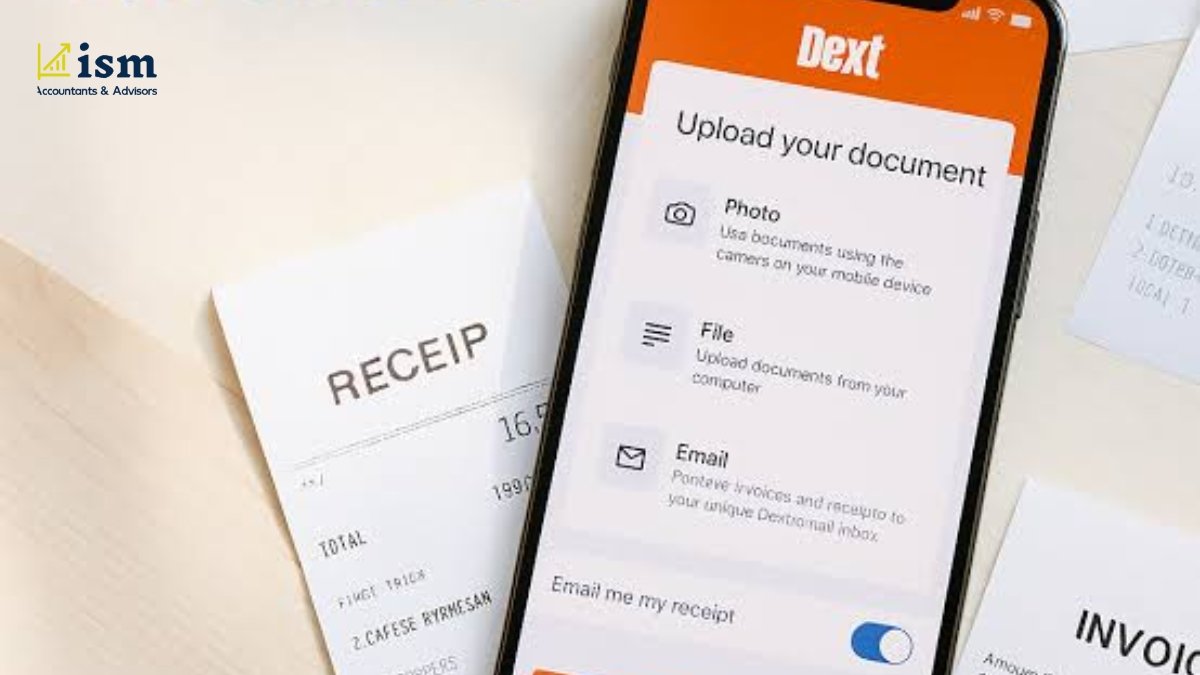
For many bookkeeping practices, the biggest time saving happens before a transaction ever reaches the ledger. Receipts and invoices still have to be collected, read, and entered correctly. Specialist tools can take care of much of that front-end work.
A common bookkeeping workflow is fairly straightforward: capture the document, extract the details, send the information to the accounting software, and then review and reconcile the transaction.
Dext
Dext helps with one of the more time-consuming parts of bookkeeping: collecting receipts and invoices and getting the relevant information into the accounting system. The software can pull key details from these documents and connect them with accounting platforms such as Xero, MYOB, and QuickBooks.
This can save a fair amount of manual work for firms dealing with large numbers of supplier invoices and receipts. Rather than entering every document from scratch, staff can focus on checking the information and following up on anything that does not look right.
There will still be documents that need a person’s attention. A blurry scan, an unusual invoice layout or missing information can affect the extracted details, so these items should be checked before they are finalised.
Best suited to: Bookkeeping practices that handle receipts and supplier invoices in large numbers.
When it may not be necessary: Businesses with only a small amount of paperwork and reliable bank feeds may find that their existing accounting software already provides enough automation.
Need Professional Bookkeeping Support? AI can simplify parts of the bookkeeping process, but accurate records still need the right systems and professional oversight. ISM Accountants & Advisors provides bookkeeping support to help businesses keep their financial records organised and up to date.
How Accountants Can Use AI Beyond Bookkeeping
A lot of an accountant’s day-to-day work happens outside the ledger. There are emails to write, documents to review, notes and reports to prepare, information to organise and research to complete. General-purpose AI tools can help with some of these jobs while the firm’s accounting software continues to manage the actual financial records.
This is where tools such as ChatGPT, Claude and Gemini can add some practical value.
ChatGPT for Accountants
ChatGPT can help with client emails, meeting-note summaries, internal templates, first drafts, and research. It is particularly useful when the task involves working with language rather than posting transactions.
For tax positions, calculations, and regulatory questions, however, the output should be checked against authoritative sources before it is used in client work. Firms should also follow their own privacy controls when deciding what client information can be entered into an AI service.
Best suited to: accountants who want a flexible tool for drafting, research, and everyday productivity.
Claude for Accountants
Claude can be particularly handy when an accountant has a lot of documents to work through. Long financial statements, correspondence, policies and similar material can be organised and summarised to give the user a useful starting point.
Its role is not to replace the firm’s accounting software. Instead, it can make lengthy documents easier to review and understand.
Best suited to: Teams that spend a lot of time reviewing lengthy or detailed documents.
Gemini for Accountants
Gemini may be a practical option for firms that already rely on Google Workspace. It can help with writing and summaries, as well as some spreadsheet-related tasks across tools such as Gmail, Docs and Sheets.
The main attraction for a Google-based practice is that staff can work with AI in the applications they already use. That can be more convenient than constantly moving information from one application to another.
Best suited to: accounting teams that rely heavily on Google Workspace.
Best AI Tools for Accountants by Task
Choosing an AI tool becomes easier when the decision starts with the task rather than the brand. A practice looking to improve bank reconciliation may need something very different from a team trying to speed up document review.
Accounting task | Tools to consider |
Bank reconciliation | Xero / JAX, MYOB, QuickBooks |
BAS and GST workflows | MYOB AI, QuickBooks GST AI |
Receipt and invoice capture | Dext |
Long-document analysis | Claude, ChatGPT |
Client email drafting | ChatGPT, Claude, Gemini |
Google Workspace productivity | Gemini |
Firm-level workflow management | Intuit Accountant Suite, Ignition |
The most suitable option will still depend on the accounting platform, workflow, and data-handling requirements of the practice.
Can Australian Accountants Use AI for Tax and BAS Work?

Yes, but AI should be used as an aid to the practitioner’s work, not as a substitute for professional judgement. In July 2026, the Tax Practitioners Board published guidance covering AI and the Code of Professional Conduct. It addresses areas including competence, reasonable care, confidentiality, record-keeping, professional judgement and supervision.
What AI Can Help With in Tax Work
AI can be useful at different points in tax-related work. For example, it can help with research, transaction reviews, document organisation, identifying items that look unusual and preparing drafts for an accountant to review. For an Australian accounting practice, that might include:
- Helping an accountant find and organise information from legislation, rulings and relevant case law
- Creating an initial summary of client documents or correspondence
- Organising relevant information before work begins on a BAS or tax return
- Putting together first drafts of routine client emails and working papers
- Drawing attention to transactions or other items that may need further investigation
What Should Still Require Human Review?
The practitioner still needs to review anything produced with AI and decide whether it makes sense for the particular client. This is especially important for final tax advice, client-specific interpretations, compliance decisions and BAS or tax-return information, where the final judgement should remain with the practitioner.
AI can help with certain parts of the tax process, but Australian tax and BAS work still needs careful checking and professional judgement. ISM Accountants & Advisors can provide taxation services for businesses that need professional assistance.
AI Tools for Accounting Firms: Which Tools Fit Different Workflows?
There is no need for every practice to use the same combination of tools. A solo accountant may only need a few well-connected applications, while a larger firm is likely to need clearer controls over access, workflows and how AI is used by staff.
Best AI Setup for a Solo Accountant
For a solo practice, it is usually better to keep the setup simple. Start with the AI features already available in the main accounting platform, then add another tool only when it solves a specific problem, such as handling a large number of documents. One general-purpose AI assistant may also be enough for drafting and research.
A small practice will generally get more value from a few tools that are actually used than from paying for a long list of separate subscriptions.
Best AI Setup for a Bookkeeping-Focused Firm
For a bookkeeping-heavy practice, document capture and reconciliation are likely to deliver the most obvious efficiency gains. A combination of a tool such as Dext and the automation available in the firm’s accounting platform can reduce repetitive data entry.
The important part is the workflow around the tools. Transactions that fall outside normal patterns should be routed for review rather than posted automatically.
Best AI Setup for a Growing Accounting Firm
Once an accounting practice starts to grow, simply adding more automation is not enough. The firm also needs some basic rules around how AI is used. The team should follow the same basic processes, access to AI tools should be controlled, and staff should understand which tasks can use AI and which ones require additional review.
Having a written AI policy can also help. It should explain how client information is handled, what staff are expected to do and when a piece of work needs approval or another level of checking.
3 Best AI-Powered Accounting Platforms in Australia: Xero vs MYOB vs QuickBooks
If your practice already runs on Xero, MYOB or QuickBooks, it makes sense to look at the AI features in that system first. Using what’s already built into the platform can make adoption easier because the AI works alongside the accounting data and processes your team is familiar with, rather than adding another separate system to manage.
Xero and JAX
For a firm already using Xero, JAX is an obvious starting point because it is built into the accounting environment rather than being another tool sitting outside it. JAX, short for Just Ask Xero, has grown beyond a basic conversational assistant. It can now work with financial information and assist with a range of routine accounting tasks.
Bank reconciliation is a good example of where this can help. JAX can use AI to help categorise and match bank statement lines with transactions in Xero, reducing some of the repetitive work involved in bank reconciliation. That can cut down some of the repetitive checking, although the suggestions still need to be reviewed. Straightforward transactions are the easiest to automate; unusual, split, or incomplete items still need attention from the user.
Xero is continuing to expand JAX across different accounting and business tasks. For a practice that already runs on Xero, this offers a relatively simple way to bring more AI into the workflow without adding another standalone platform.
Best suited to: Xero-based practices that handle a large number of transactions, especially when many of those transactions follow similar patterns.
Main limitation: AI-generated reconciliation suggestions should still be reviewed, particularly when transactions are unusual, incomplete or require professional judgement.
You can explore XERO alternatives if you want.
MYOB AI
MYOB has brought AI into several areas of its accounting software, including BAS and GST work. Its AI BAS feature can pick up missing documents, flag possible GST issues and help with some of the preparation work.
There are some restrictions at the moment. AI BAS is available to eligible non-employing businesses using MYOB Business Lite or Pro with active bank feeds. It currently supports simpler cash-based BAS situations, including G1, 1A and 1B.
For accountants and bookkeepers already working with MYOB, this can be handy for taking care of some of the routine checks before the BAS is reviewed. The final figures still need to be checked, and access to AI features depends on the MYOB product, plan and eligibility.
QuickBooks AI
QuickBooks uses AI across several parts of its accounting software, including bookkeeping, reporting, transaction matching and financial analysis. Intuit Assist and Intuit Intelligence are among the features available to help with these tasks.
Australian users also have access to the GST AI Agent. It can check for discrepancies and suggest possible fixes while preparing for a BAS. That makes it useful as an extra check, rather than something an accountant should rely on to make the final decision.
The AI features available can vary between products and plans, so it is worth checking the current Australian offering before building a client workflow around a particular feature.
How to Choose AI Software for an Accounting Firm?
The easiest way to choose an AI tool is to start with the task you want to improve. Look at where your team is spending the most time, then see whether the software fits the accounting systems and controls you already have in place.
Questions to Ask Before Choosing an AI Tool
- What specific task are we trying to improve or automate?
- Will the tool work with the accounting software the firm already uses?
- How does the provider store and process client data?
- What happens to prompts, uploaded files and other information entered into the tool?
- How long is the information kept, and how is it deleted?
- Can staff check the output and make corrections easily?
- Does the system provide an audit trail or activity history where one is needed?
- What is the process for dealing with an incorrect result?
- What is the actual cost once users, add-ons and other fees are included?
- Will the tool continue to make sense as the practice gets larger?
Start with one workflow and a small pilot before introducing the tool across the whole practice. That gives the firm a practical way to assess accuracy, usability, privacy controls and time savings.
AI Privacy and Data Security for Australian Accountants

Adding AI to an accounting workflow does not remove existing confidentiality or privacy responsibilities. Before client information is entered into a third-party AI service, firms need to understand how that information is collected, stored, processed and retained.
The Office of the Australian Information Commissioner recommends taking a privacy-by-design approach when adopting commercially available AI products. For an accounting firm, this means looking at the privacy risks before introducing a tool and putting sensible controls in place for handling personal information.
What to Check Before Entering Client Data Into AI
- The vendor’s privacy policy and the terms of the agreement
- Where client data is stored and processed
- How prompts, uploaded documents and other client information are handled
- How long information is retained and how it can be deleted
- Who within the firm can access the tool
- What security certifications or supporting security information the vendor provides
- Whether client consent or other contractual safeguards are needed
- Whether the firm has clear internal rules for using AI
- Whether staff know how to use the tool safely and appropriately
How We Selected These AI Tools
We selected these tools based on their relevance to common accounting workflows, including bookkeeping, reconciliation, document processing, BAS and GST work, research and practice management. We also considered their suitability for Australian accounting practices, integration with existing accounting systems, privacy considerations and the need for human review.
What Are the Limitations and Risks of AI in Accounting?
AI can be helpful with repetitive tasks, but that does not mean every answer or result will be correct. Problems are more likely when the information provided to the tool is incomplete or when its output is accepted without a proper check.
AI is well suited to repetitive data entry, document processing, OCR, first-pass summaries, routine drafting and organising information for review.
Where Human Accountants Still Matter?
Human accountants are still needed when a job calls for professional judgement, depends on a client’s particular circumstances, or could have a significant financial impact. AI can miss important context, produce an incorrect answer, rely on outdated information or create issues when different systems do not work well together. For that reason, firms should be clear about where AI is appropriate, where a review is required, and who has the final responsibility for the work.
Looking for Professional Accounting Support? If you need help with accounting, bookkeeping or taxation, you can Contact ISM Accountants & Advisors for professional support across Perth and Australia.
Final Thoughts
Choosing AI for an Australian accounting practice is less about finding one “best” tool and more about finding something that solves a real problem. For many firms, a sensible first step is to look at the AI features already included in their accounting platform. Specialist tools for document capture or practice management can then be added where they offer a clear benefit.
It is usually better to introduce AI a little at a time. Test it on real work, see where it performs well and set clear expectations around privacy and human review. This gives the firm a chance to save time while keeping important accounting and tax decisions in human hands.
Need professional accounting, bookkeeping or taxation support? ISM Accountants & Advisors can provide accounting assistance tailored to businesses across Perth and Australia.
Frequently Asked Questions
What are the best AI tools for accountants in Australia?
That depends on the type of work the practice wants to improve. Xero/JAX, MYOB and QuickBooks are useful for core accounting work, Dext focuses on bookkeeping automation, and tools such as ChatGPT, Claude and Gemini are more useful for research, drafting and everyday productivity.
How do Australian accountants use AI?
Australian accountants can use AI in a number of routine areas, including transaction categorisation, reconciliation, receipt processing, summarising information, drafting messages and some administrative tasks. This can reduce the amount of repetitive work, while qualified professionals remain responsible for accounting, tax and compliance decisions.
Can accountants use AI for tax work in Australia?
Yes. AI can help with research, summarising documents, organising information and preparing initial drafts. The important point is that using AI does not shift professional responsibility away from the practitioner. Final tax advice and compliance decisions still need to be reviewed by the practitioner in accordance with the TPB’s guidance.
Is ChatGPT useful for accountants?
Yes. ChatGPT can be useful for everyday tasks such as drafting, summarising and research. It should be viewed as a productivity tool rather than as accounting software, and anything important should be checked before it is used in client work.
Are AI accounting tools safe for client data?
Not by default. The suitability of an AI tool for client information depends on its security controls, privacy terms and the way the firm has set it up. Before putting client data into a tool, find out where that information is stored, how the provider can use it, how long it is kept and who can access it.
Can AI replace accountants?
AI can handle some repetitive parts of accounting, but there are still areas where human expertise matters. Professional judgement, tax interpretation, complex financial decisions and client relationships cannot simply be handed over to a tool. In practice, AI is more useful when it takes care of some routine work and gives accountants more time for higher-value tasks.
How should an accounting firm choose AI software?
Start by deciding what problem the firm is trying to solve. From there, compare how well each tool integrates with existing systems, how reliable its results are, what privacy controls it offers, who can access it, what it costs and whether it can grow with the practice. A small trial before a wider rollout can also show whether the tool is actually useful in day-to-day work.